Skills: Teach Claude Code Bioinformatics
If you've been using Claude Code, you've probably noticed that many times Claude Code does not provide the most updated solution providing suggestion like "normalize bulk RNAseq data using FPKMs." Claude Code skills are purpose-built shortcuts that handle these recurring tasks automatically. Think of them as expert templates: you invoke a skill, Claude understands exactly what you need without lengthy explanations, and it executes the specialized workflow. For bioinformaticians managing multiple pipelines, tweaking terminal environments, or needing consistent code quality checks, skills allow Claude to fully understand their needs without explaining everything again and again.
Today, as an example, we will build a excalidraw diagram for the single cell nextflow pipeline we built in the previous post using the excalidraw skill built by Yee Fei
What Are Claude Code Skills?
Skills allow you to teach Claude how to perform specific tasks efficiently. From the official documentation:
Agent Skills are modular capabilities that extend Claude's functionality. Each Skill packages instructions, metadata, and optional resources (scripts, templates) that Claude uses automatically when relevant.
Skills are reusable, filesystem-based resources that provide Claude with domain-specific expertise: workflows, context, and best practices that transform general-purpose agents into specialists. Unlike prompts, Skills load on-demand and eliminate the need to repeatedly provide the same guidance across multiple conversations.
Unlike generic commands, skills carry contextual knowledge about what you're trying to accomplish. When you use a skill, Claude understands:
- The exact goal of your task
- Best practices for that specific operation
- Common pitfalls and how to avoid them
- Integration points with your existing setup
This is particularly valuable for bioinformaticians who often need to:
- Fine-tune their development environment
- Ensure code quality across complex genomic pipelines
- Use recently described tools and methods
- Standardize workflows across projects
Key benefits:
- Specialize Claude: Tailor capabilities for domain-specific tasks
- Avoid repetition: Create once, use automatically
- Compose capabilities: Combine Skills to build complex workflows
Available Skills in Claude Code
Currently, Claude Code includes two primary user-invocable skills that enhance your workflow. You can discover additional skills available in your installation by running in Claude Code
1/help
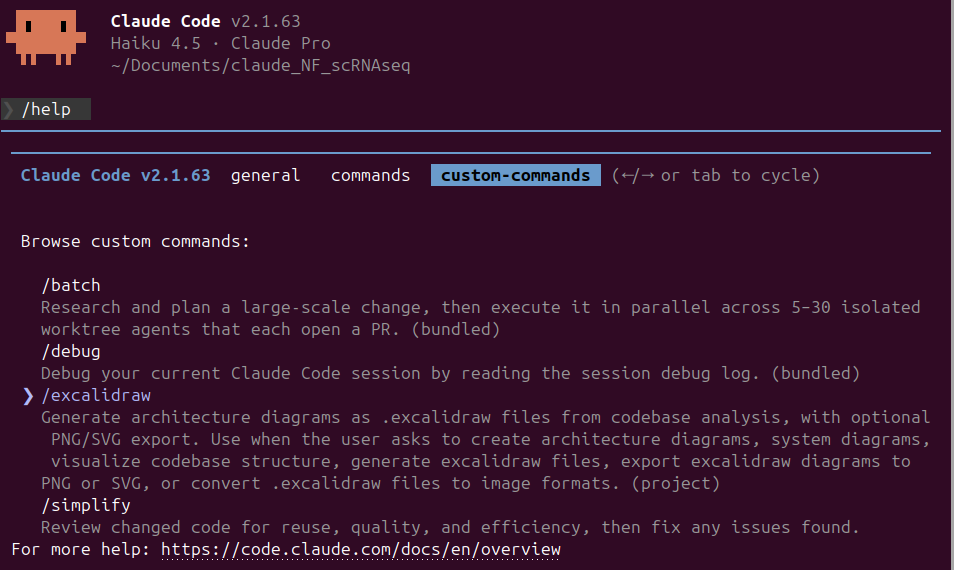
Notice the excalidraw skill in the list.
Adding Skills to Claude Code
To add a Skill to your Claude Code installation, you just need to creade a skills folder within the .claude folder. Depending on the .claude folder location the Skill will be globally available or restricted to a specific project.
| Location | Path | Applies to |
|---|---|---|
| Personal | ~/.claude/skills/ |
All your projects |
| Project | .claude/skills/ |
This project only |
After installing a Skill you must re-start Claude Code or run /clear command in order to be available.
How to Invoke Skills
There are several ways to use skills in Claude Code. You can mimply type the skill name with a forward slash:
1/excalidraw
and even provide context or instructions directly:
1/excalidraw build a diagram for my pipeline
or you just need to ask Claude to perform the task it is designed for as we will see in the example below.
Skill's anatomy
A skill is a folder containing:
- SKILL.md (required): Instructions in Markdown with YAML frontmatter
- scripts/ (optional): Executable code (Python, Bash, etc.)
- references/ (optional): Documentation loaded as needed
- assets/ (optional): Templates, fonts, icons used in output
Here the content of the excalidraw skill
 1excalidraw/
 2├── README.md
 3├── references
 4│   ├── arrows.md
 5│   ├── colors.md
 6│   ├── examples.md
 7│   ├── export.md
 8│   ├── json-format.md
 9│   └── validation.md
10└── SKILL.md
How Skills work
This filesystem-based architecture enables progressive disclosure: Claude loads information in stages as needed to avoid consuming context when it is not needed.
Skills can contain three types of content, each loaded at different times.
Level 1
Type: Metadata When: always loaded Content type: Instructions. The Skill's YAML frontmatter provides discovery information
excalidraw example
1---
2name: excalidraw
3description: Generate architecture diagrams as .excalidraw files from codebase analysis, with optional PNG/SVG export. Use when the user asks to create architecture diagrams, system diagrams, visualize codebase structure, generate excalidraw files, export excalidraw diagrams to PNG or SVG, or convert .excalidraw files to image formats.
4---
Level 2
Type: Instructions When: loaded when triggered Content type: Instructions. The main body of SKILL.md contains procedural knowledge: workflows, best practices, and guidance
excalidraw example
 1# Excalidraw Diagram Generator
 2
 3Generate architecture diagrams as `.excalidraw` files directly from codebase analysis, with optional export to PNG and SVG.
 4
 5---
 6
 7## Quick Start
 8
 9**User just asks:**
10\```
11"Generate an architecture diagram for this project"
12"Create an excalidraw diagram of the system"
13"Visualize this codebase as an excalidraw file"
14\```
15
16**Claude Code will:**
171. Analyze the codebase (any language/framework)
182. Identify components, services, databases, APIs
193. Map relationships and data flows
204. Generate valid `.excalidraw` JSON with dynamic IDs and labels
215. Optionally export to PNG and/or SVG using Playwright
22
23**No prerequisites:** Works without existing diagrams, Terraform, or specific file types.
24
25---
26
27## Critical Rules
28...
This content is only loaded into context when you request something that matches a Skill's description.
Level 3
Type: Resources and code When: loaded as needed Content types: Additional files bundled within the skill directory that Claude chooses to navigate and discover only as needed. Skills can bundle additional materials like:
Instructions: Additional markdown files (FORMS.md, REFERENCE.md) containing specialized guidance and workflows
Code: Executable scripts (fill_form.py, validate.py) that Claude runs via bash; scripts provide deterministic operations without consuming context
Resources: Reference materials like database schemas, API documentation, templates, or examples
Claude accesses these files only when referenced. The filesystem model means each content type has different strengths: instructions for flexible guidance, code for reliability, resources for factual lookup.
Practical Example: Pipeline excalidraw diagram.
Just open a Claude Code terminal in the folder with the pipeline and run a simple prompt like the following
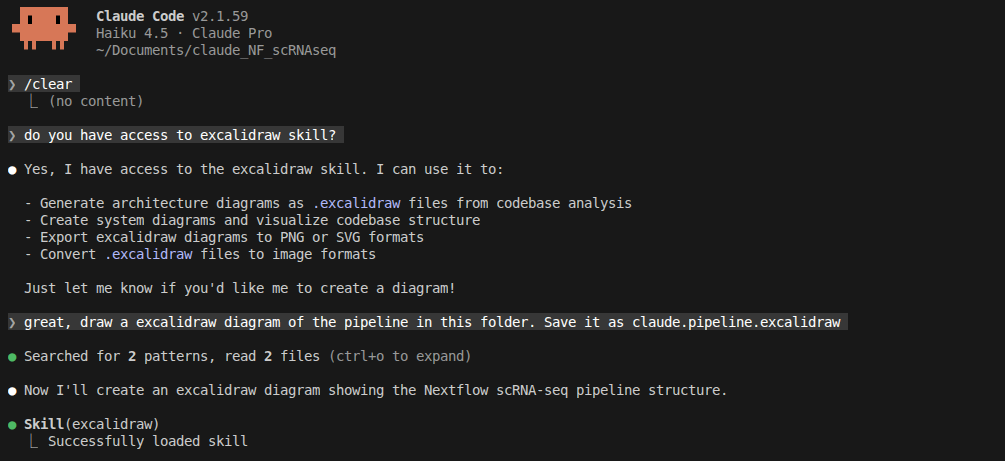
notice I used
/clearto make the Skill available
accept and allow edits

see the results
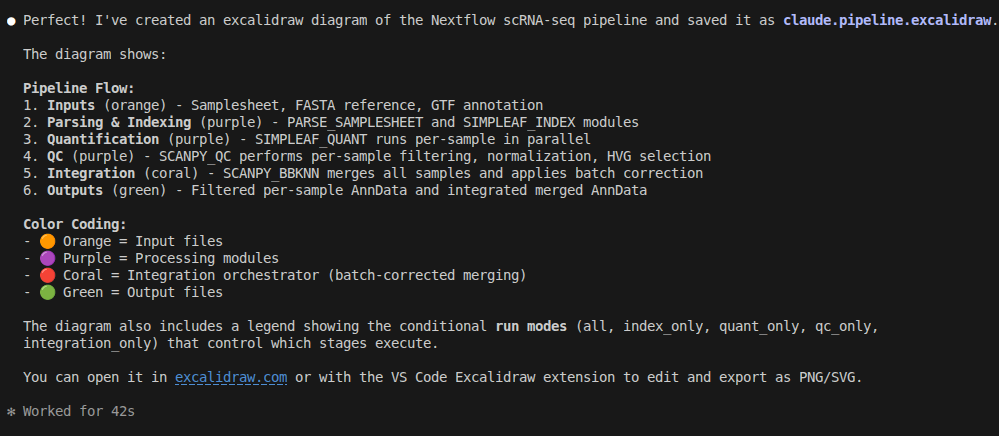
The initial diagram
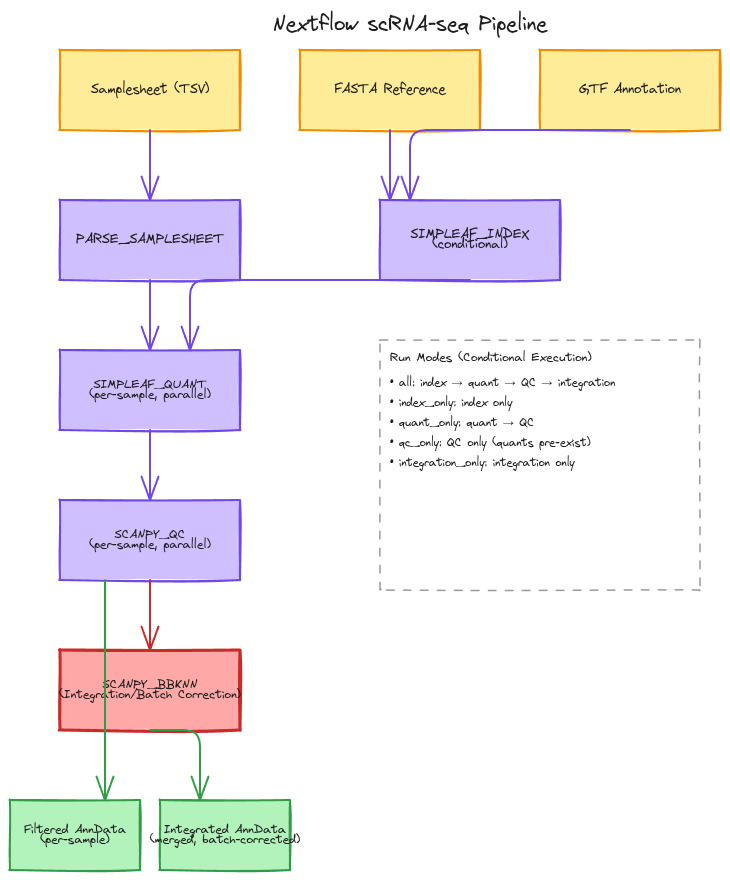
see my excalidraw file on github
just needed a few edits
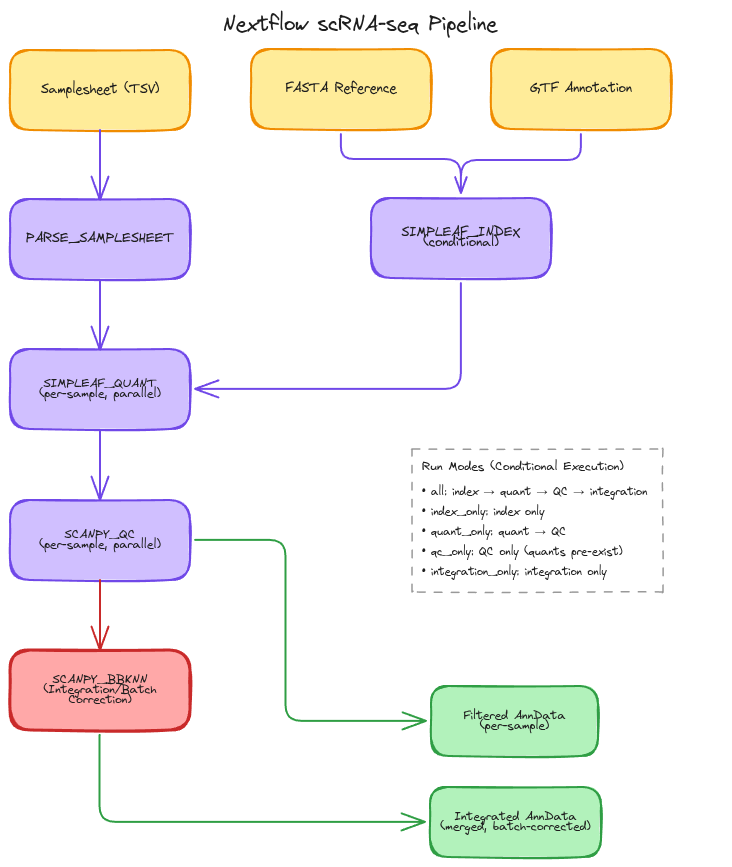
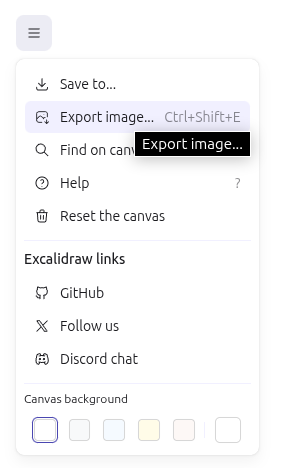
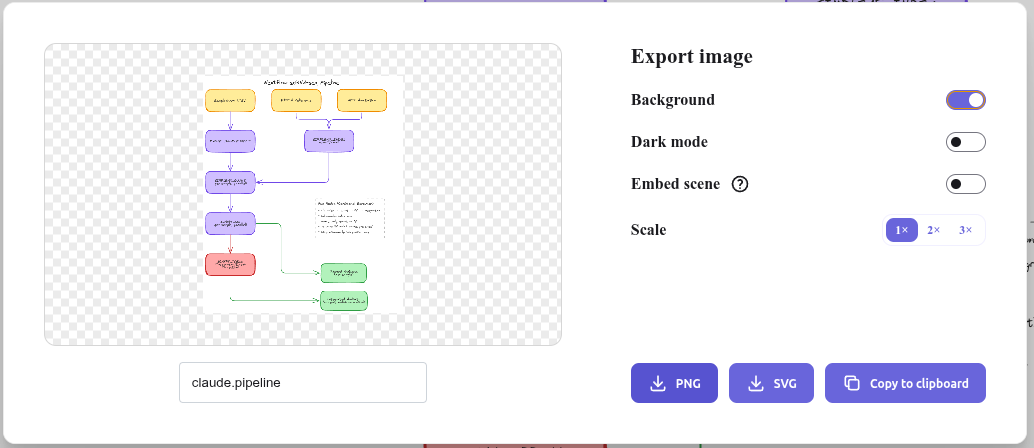
I did this without leaving positron using the VS code excalidraw extension in Positron that as the excalidraw website but without leaving your IDE.
Key Takeaways
- Skills eliminate repetitive domain context for bioinformaticians: no more re-explaining reference genomes, sample metadata, QC thresholds, or pipeline parameters to Claude across projects
- Three-level architecture makes skills token-efficient: metadata is always available, procedural knowledge loads on-demand, and resources load only when referenced
- Create once, standardize forever: embed your lab's best practices (i.e. Satija lab QC thresholds, OSCA marker discovery, EMBL conventions, BBKNN batch correction parameters) into reusable skills across all projects
- Practical for pipeline development: the excalidraw skill visualizes Nextflow workflows, but skills work equally well for standardizing Scanpy QC code, Seurat pipelines, or doublet detection protocols
- Dramatically reduce iteration time: with bioinformatics-specific skills, Claude skips the setup and context-building phase, jumping straight to solving your actual analysis questions
Further Reading
- Claude Code Official Documentation: Agent Skills
- Claude Code Official Documentation: Extend Claude with skills
- Claude Code blog post: Introducing Agent Skills
- The Complete Guide to Building Skills for Claude
- My previous post: From Prompt to Pipeline: Building a scRNA-seq Workflow with Claude Code and Nextflow